
All platforms / Flarum
Flarum 1.8 and 2 extension
Spam protection built for Flarum.
Install the same Forum Fortress extension on Flarum 1.8 or 2, then manage protection from your familiar Extensions panel. It checks supported registrations, discussions, replies and account changes without adding a CAPTCHA.
Flarum 1.8.x or Flarum 2 from 2.0 RC5, administrator access, Composer or Extension Manager, and outbound HTTPS.

Inside Flarum
See the integration in action.
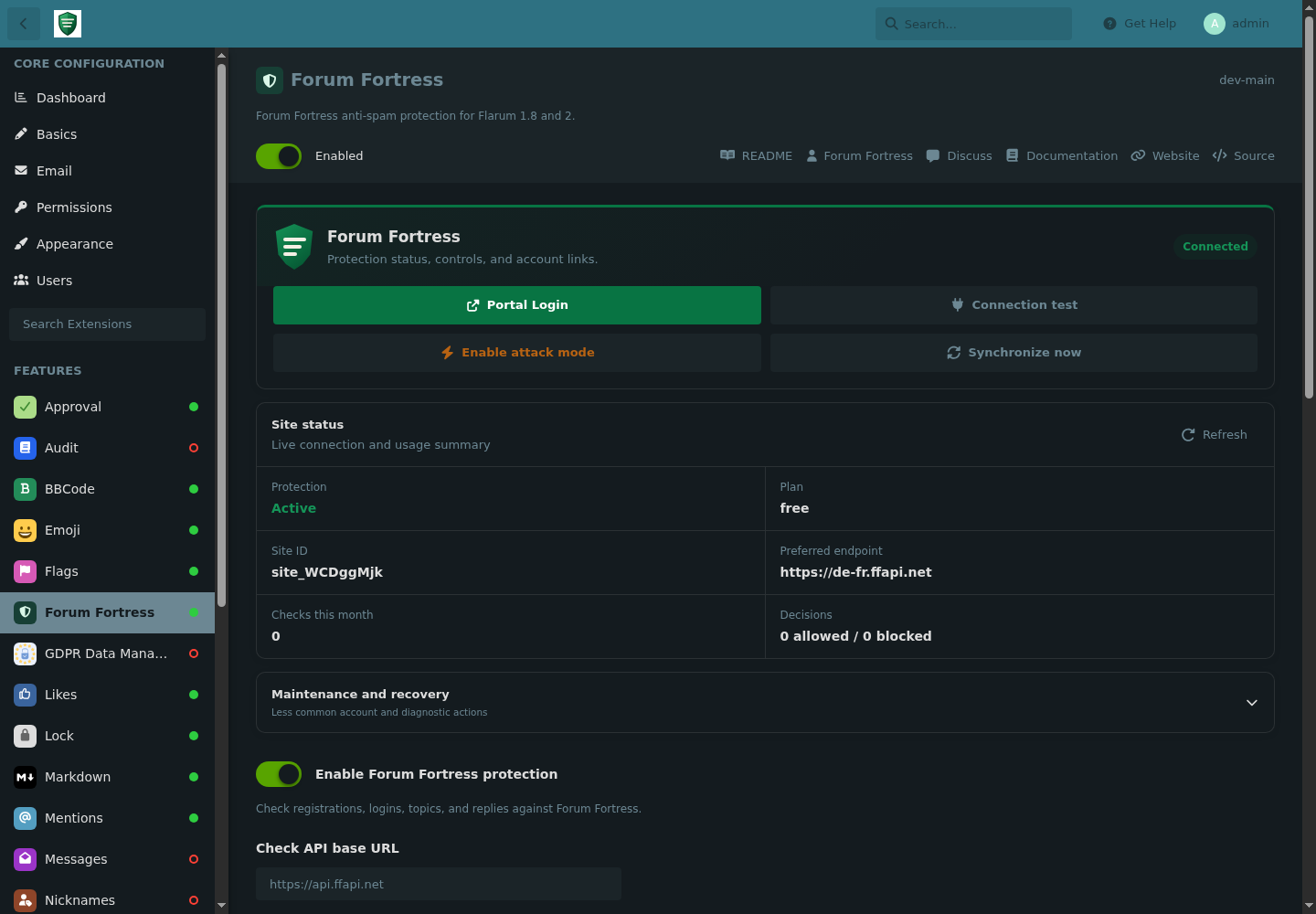
Configure Forum Fortress from your forum administrator's interface. Read the full guide for the current screens, exact requirements and troubleshooting advice.
Flarum protection
Checks that follow a discussion
Registration protection alone cannot catch a seemingly harmless account that edits a discussion later. The Flarum integration checks new and edited discussions and replies, alongside supported profile updates.
This integration does not send login events or contact-form submissions. Private messages are not scanned.
Installation
Get Forum Fortress running on Flarum.
Find Forum Fortress
Open Administration → Extensions → Extension Manager, search for Forum Fortress - Spam Blocker, or use the Composer command below.
Enable the extension
Enable Forum Fortress protection. For a new forum, leave the Site API key blank so the first connection can create it.
Verify the connection
Select Refresh and Connection test. Keep Flarum's scheduler running every minute for background maintenance and moderation synchronisation.
Install command
composer require forumfortress/flarum:"^1.4"Run in your Flarum root if Extension Manager is unavailable. Do not add Composer's -W option.
Before you install
Common Flarum questions
Protect your Flarum forum.
Start with the plugin for your platform. No CAPTCHA and no portal account required for routine checks.