
All platforms / NodeBB
NodeBB 4.x anti-spam plugin
Spam checks inside NodeBB's plugin workflow.
Install Forum Fortress from NodeBB's plugin catalogue or npm. The plugin checks supported registrations, conversations, edits and profile fields, while leaving NodeBB's existing permissions and administrative controls in place.
NodeBB 4.16 or later within the supported 4.x series, administrator access and outbound HTTPS.

Inside NodeBB
See the integration in action.
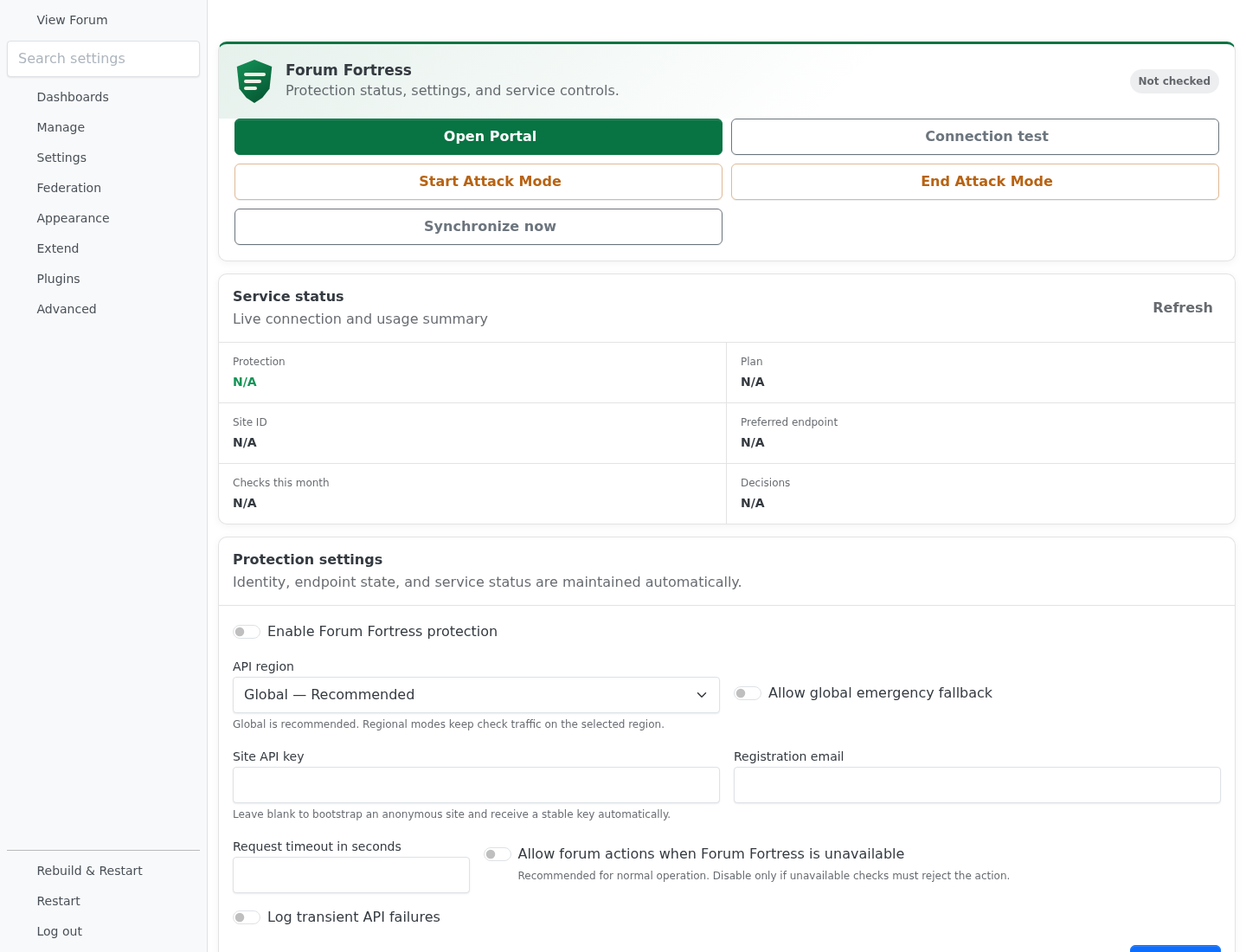
Configure Forum Fortress from your forum administrator's interface. Read the full guide for the current screens, exact requirements and troubleshooting advice.
NodeBB protection
Check the places spammers edit
NodeBB communities can be targeted through topics, replies, profile bios and edited titles. Forum Fortress checks supported changes before they are accepted.
Incoming ActivityPub content, administrator actions and private messages are excluded. Review decisions do not map into a NodeBB approval queue in the current integration.
Installation
Get Forum Fortress running on NodeBB.
Find the plugin
In NodeBB ACP open Extend → Plugins, search for Forum Fortress or nodebb-plugin-forum-fortress and install the official result.
Activate and rebuild
Activate the plugin and use NodeBB's usual Rebuild & Restart operation.
Connect and verify
Open Plugins → Forum Fortress and confirm that first connection bootstraps the forum identity.
Before you install
Common NodeBB questions
Protect your NodeBB forum.
Start with the plugin for your platform. No CAPTCHA and no portal account required for routine checks.