
All platforms / XenForo
XenForo 2 anti-spam add-on
Stop XenForo spam without CAPTCHA.
Check registrations, forum posts, edits and supported profile activity before unwanted content takes hold. Forum Fortress connects to XenForo on the server, so genuine members do not face extra puzzles.
XenForo 2.3 or newer, with super administrator access and outbound HTTPS.

Inside XenForo
See the integration in action.
Configure Forum Fortress from your forum administrator's interface. Read the full guide for the current screens, exact requirements and troubleshooting advice.
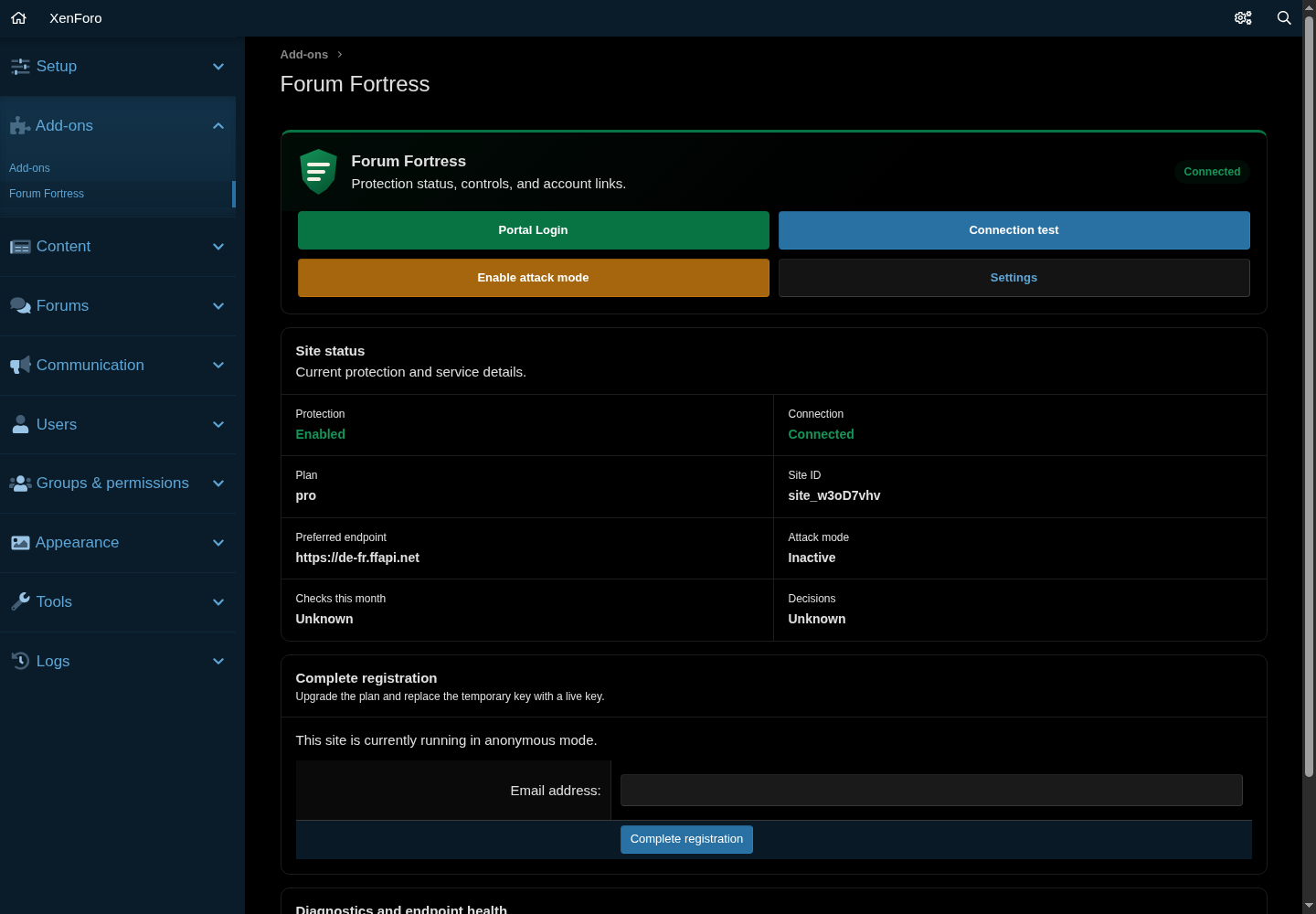
XenForo protection
Protect more than the registration form
Some spammers register quietly, then return to insert links into ordinary posts. The XenForo add-on checks supported actions as they happen and returns a decision for the forum to apply.
Existing spam is not removed automatically. Optional cleanup has strict eligibility rules and must be enabled by an administrator.
Installation
Get Forum Fortress running on XenForo.
Download the current add-on
Use the package link above. Check that your XenForo installation is compatible with the published release.
Install through XenForo Admin
Open Add-ons → Install/upgrade from archive and upload the Forum Fortress ZIP. Enable the add-on and review its settings.
Run a connection test
Set the public forum URL and run Tools → Forum Fortress → Connection test. Review the availability setting before relying on protection.
Before you install
Common XenForo questions
Protect your XenForo forum.
Start with the plugin for your platform. No CAPTCHA and no portal account required for routine checks.