
SMF installation
Forum Fortress for Simple Machines Forum (SMF) 1.2 is installed as a modification package through the SMF Package Manager.
Download the package, upload it in the Admin control panel, then open Modification Settings → Forum Fortress to connect your forum.
Before you start
Make sure you have:
- SMF 2.1 (supported range in the package manifest)
- PHP 7.1 or newer, matching SMF 2.1's minimum requirement
- administrator access to the Admin control panel
- file access or FTP/SSH to your SMF installation if you install manually
- PHP with outbound HTTPS support
- network access from your server to Forum Fortress services
Privacy and outbound access
Forum Fortress needs outbound HTTPS access to provide spam checks.
If your server uses an outbound firewall, allow HTTPS traffic on port 443 to hosts ending in:
*.ffapi.net
Before enabling the modification on a live community, you may need to update your forum's privacy policy. Forum Fortress receives forum activity details for spam analysis, including submitted content and user details relevant to each check.
Read Privacy and network access before installing.
Install steps
- Download the latest Forum Fortress SMF package from forumfortress.com/platforms (Download now).
- In the SMF Admin control panel, go to Configuration → Modification Packages → Upload package.
- Upload the
.tar.gzarchive and install or enable the package when prompted. - Open Configuration → Modification Settings → Forum Fortress.
- Confirm the detected forum domain and enter any required fields shown.
- Use Connection test on the settings page to confirm outbound access to Forum Fortress, then select Open Forum Fortress to open the portal on this forum. Account association is optional and can be started with the registration control shown in the plugin.
See Your account and forums for account linking.
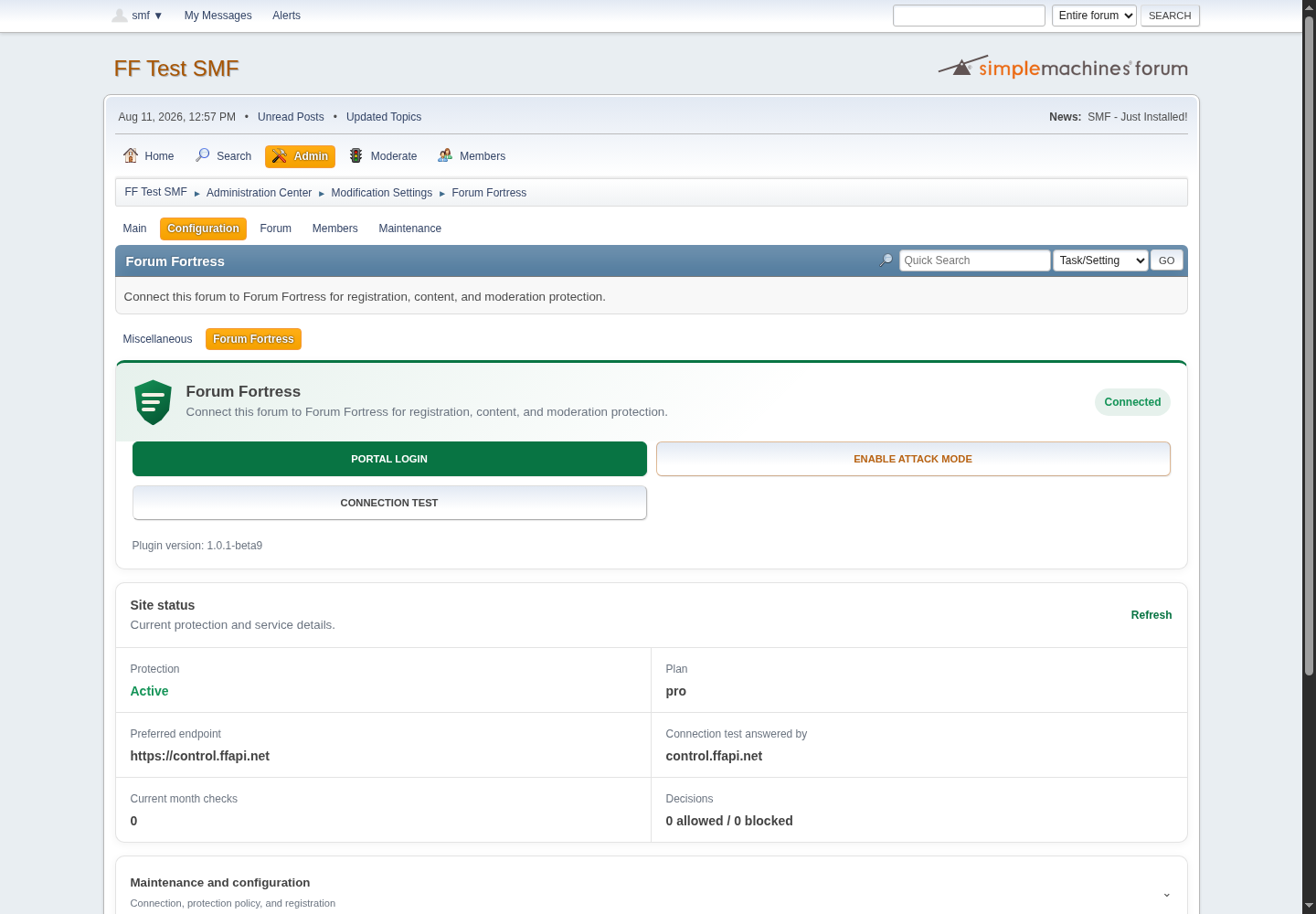
Forum Fortress administration after a successful SMF connection test.
Choose an API region
Use Global unless you need regional processing. Select United Kingdom only, European Union only, or United States only to keep live checks and decisions in that regional API service.
Allow global emergency fallback is off by default. If you enable it and the selected regional service remains unavailable after a retry, Forum Fortress may send the check through the global network. Processing may then occur outside the selected region. Leave it disabled when strict regional processing is required.
This setting applies only to live spam checks. Bootstrap, portal access and account management continue through the Forum Fortress control system in the United Kingdom.
What happens after install
Forum Fortress starts checking supported forum actions such as registration, posting, and profile or signature updates.
Depending on the decision and your settings, suspicious activity may be allowed or blocked.
Use the portal for activity history, moderation, reports, billing and support.
Updating the package
When a new version is available:
- Download the latest SMF package from forumfortress.com/platforms.
- In Configuration → Modification Packages, uninstall the previous Forum Fortress package if your SMF version requires a clean upgrade path.
- Upload and install the new package.
- Review Modification Settings → Forum Fortress after the update.
Removing the package
To remove Forum Fortress from your forum:
- In Configuration → Modification Packages, uninstall the Forum Fortress Protect package.
- Confirm hooks and files are removed as SMF reports during uninstall.
Reinstalling
If the modification is broken or settings are corrupted, uninstall the package, clear SMF cache if needed, then repeat the install steps with a fresh download.
Troubleshooting
| Symptom | What to check |
|---|---|
| Package upload fails | SMF 2.1, archive contains package-info.xml at the root, PHP upload limits |
| Settings page missing | Package installed; Modification Settings → Forum Fortress; admin hook registered (reinstall via Package Manager if needed) |
| Connection errors | Outbound HTTPS, PHP allow_url_fopen, DNS, firewall, WAF, or hosting egress rules |
| Stale settings after file copy | Clear SMF cache under cache/ (keep index.php) |
For more help, see Troubleshooting and the FAQ.
Licence
The package is free and open-source software under GPL-2.0-or-later. The
hosted service is separate and governed by its service terms. See
Plugin licensing.