
Accessing a support PIN
A Support PIN securely connects an account to Forum Fortress AI chat or telephone support. It is a six-digit, one-time code. The PIN is shown only in the signed-in portal and expires immediately after successful use.
Generate or reveal the PIN
- Sign in to the Forum Fortress portal.
- Select the forum and open Support.
- In Account verification, select Generate Support PIN.
- Copy the six-digit PIN and keep the portal open while you start support.
- Give the PIN to the AI assistant when prompted, either in chat or on the support telephone call.
If a current unused PIN already exists, the button says Reveal Support PIN. Selecting it shows that current PIN again. Generating a replacement invalidates the previous unused PIN.
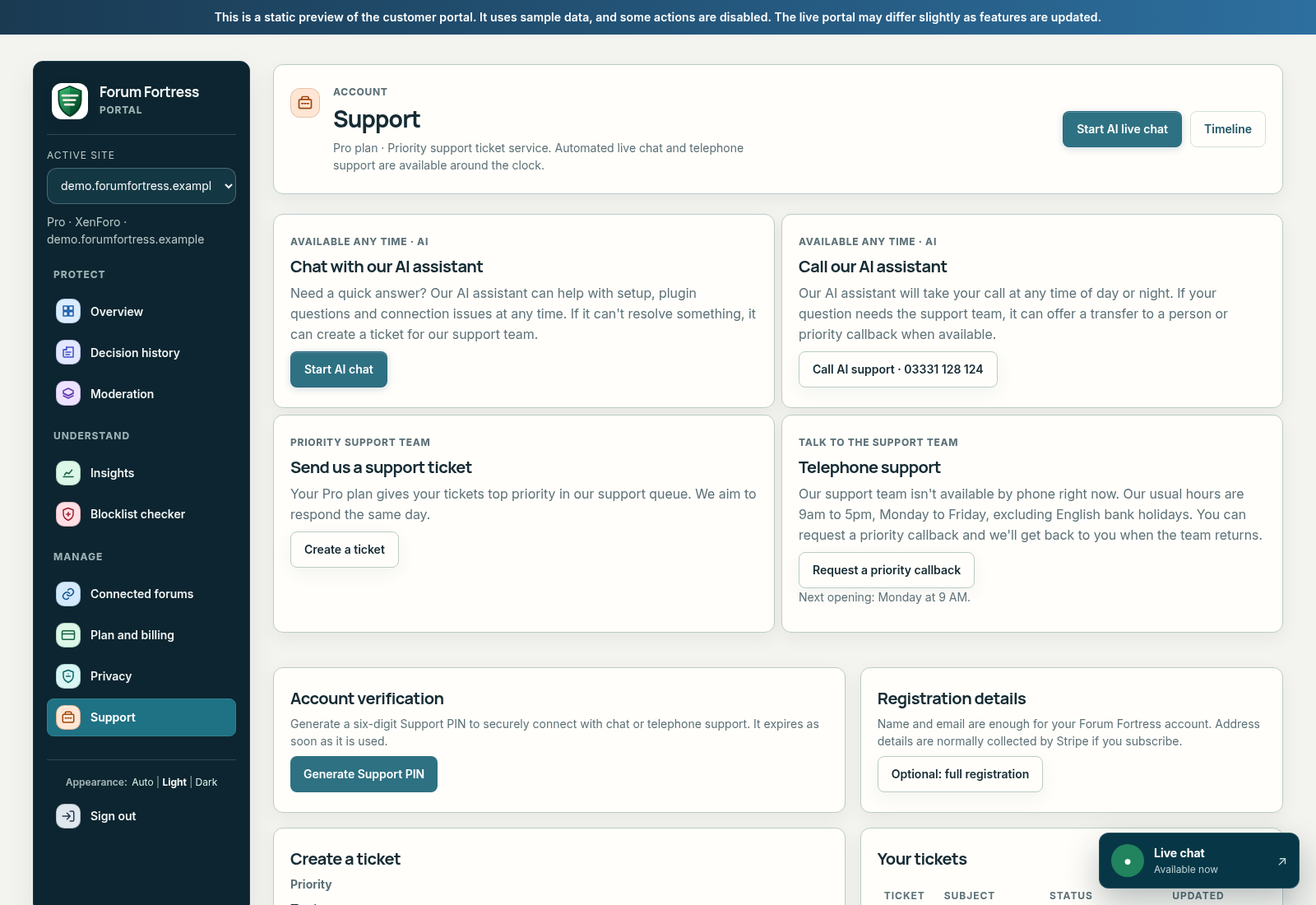
Captured from the Forum Fortress portal demo. Generate a PIN in the signed-in portal when you need to start support.
Keep the PIN private
- Do not post it in a public forum, ticket, or chat room.
- Do not send it with passwords, API keys, or payment details.
- If you think someone else saw it, return to Support and generate a replacement.
- A Support PIN verifies the support conversation; it does not replace your portal password or grant access to your forum admin account.
For general contact options, see Contact Forum Fortress. For a quick explanation of the portal, see Portal.